
Beatport UI Tweaks
Small quality-of-life tweaks for beatport.com, each one switchable in the popup (Alt+Shift+B).
Free and open source, for Chrome and other Chromium browsers.
What it does
-
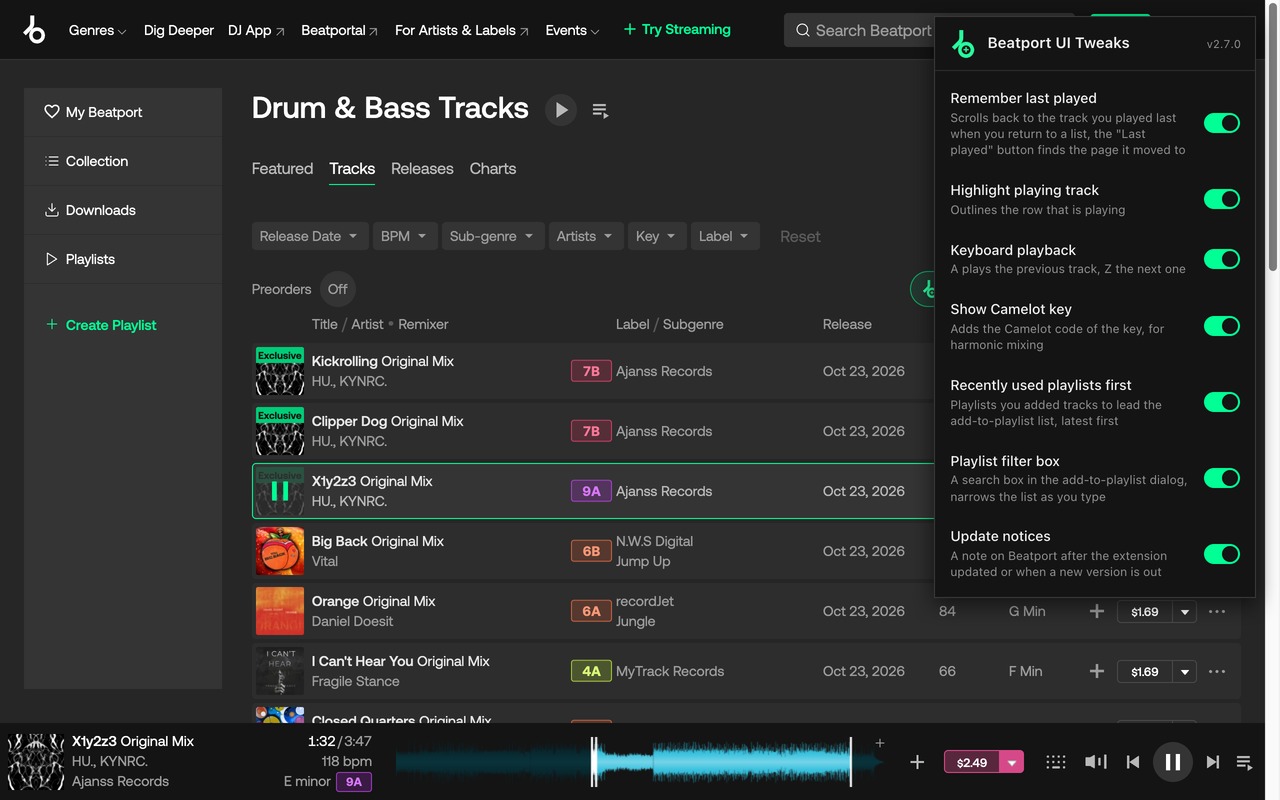
Remember last played
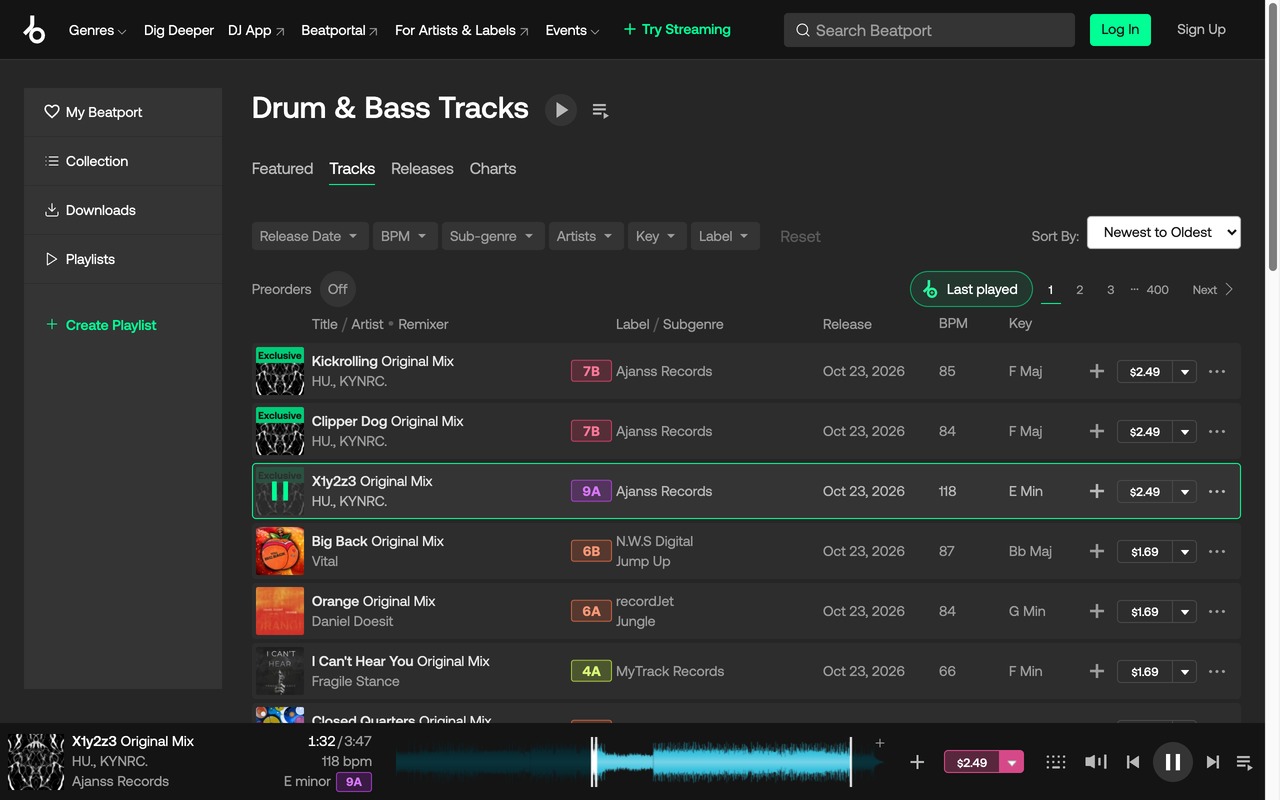
Scrolls back to the track you played last when you return to a list, and the "Last played" button next to the pager finds the page that track has moved to since, for your per-page setting.
-
Highlight playing track
Outlines the row that is playing.
-
Keyboard playback
A plays the previous track, Z the next one.
-
Camelot key
The Camelot code of every track in Camelot wheel colors, lined up in one column, next to the key on track pages and in the player.
-
Recently used playlists first
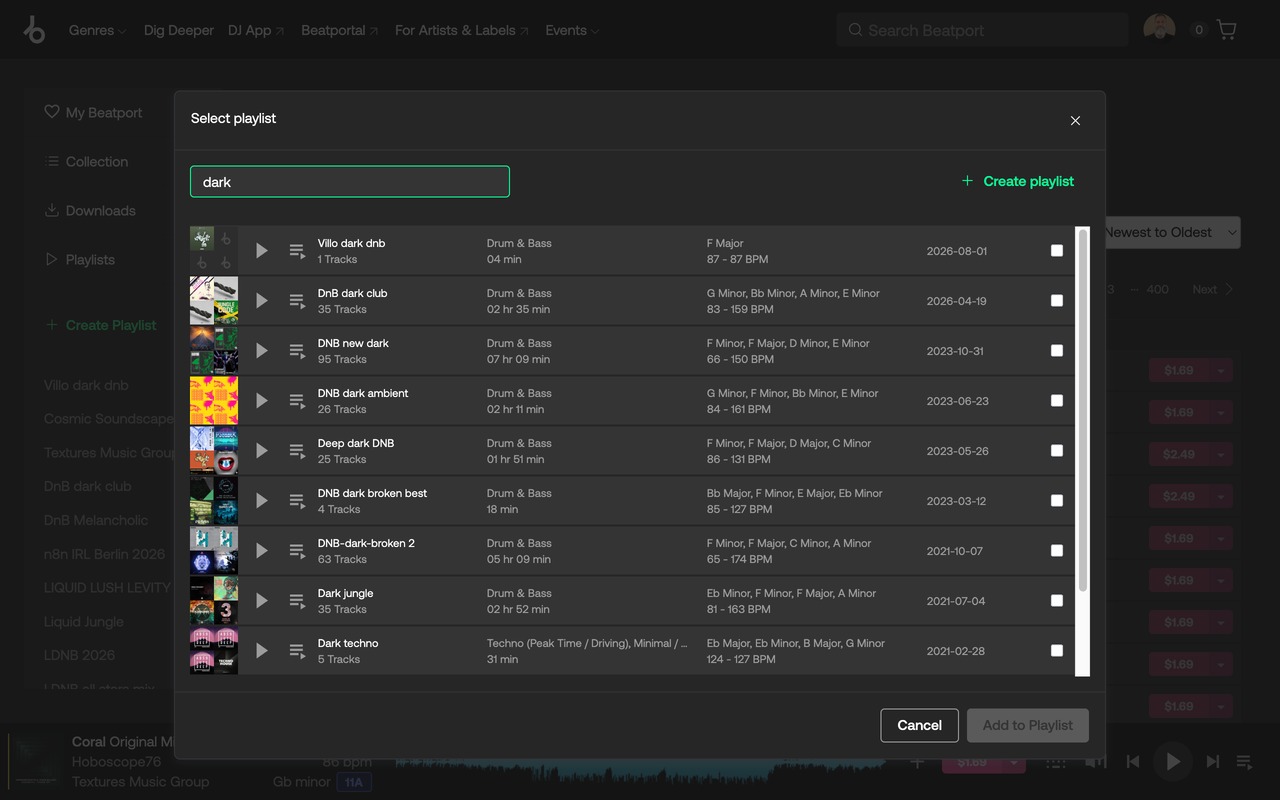
The playlists you added tracks to lead the "add to playlist" dialog, latest first.
-
Playlist filter
A search box in the "add to playlist" dialog, the list narrows as you type and loads all your playlists.
-
Update notices
After an update, a short note on Beatport points to what's new in the popup, and the icon shows a badge.
Screenshots
Privacy
Nothing leaves your browser: settings are kept in Chrome's extension storage, the playlist history in the page's local storage. Beatport's own catalog API is asked where a track is, with the same access the page has.
Copies installed from a GitHub release zip, which the Chrome Web Store doesn't update, check the latest release on GitHub once a day.